



 Introducing Coding Rooms in CSUK Coder{+}
Real-Time Collaborative Programming for the Classroom
We’re excited to finally launch one of the most requested features on the CSUK platform — Coding Rooms, now available inside free coding tasks and self-marking tasks on CSUK Coder{+}.
Teachers have been asking for a way to support pair programming, collaboration, and live oversight of student coding — and Coding Rooms deliver exactly that.
This update transforms coding tasks from a solo activity into a live, collaborative classroom experience, while still giving teachers full control.
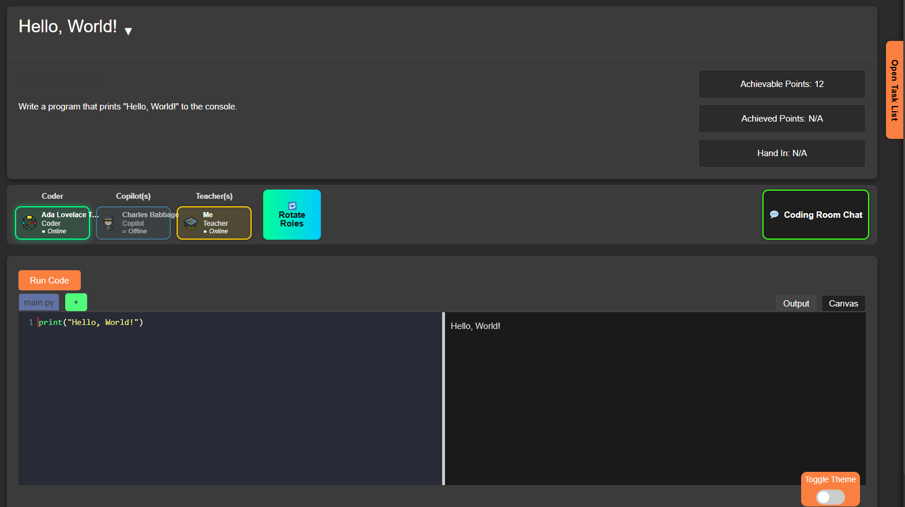
🧑💻 What are Coding Rooms?
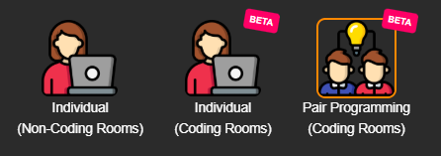
When creating a Free Coding or Self-Marking task, teachers can now choose a Coding Room mode:
-
Individual rooms – one private coding space per student
-
Pair programming rooms – one shared coding space per pair of students
Each room is a live, real-time coding environment, complete with chat, role management, and teacher oversight.
👥 Pair Programming, Built for the Classroom
In Pair Programming mode, students are automatically assigned roles:
-
Coder
-
Full write/edit access to the code
-
-
CoPilot
-
Read-only access (viewer mode)
-
Can observe, discuss, and guide
-
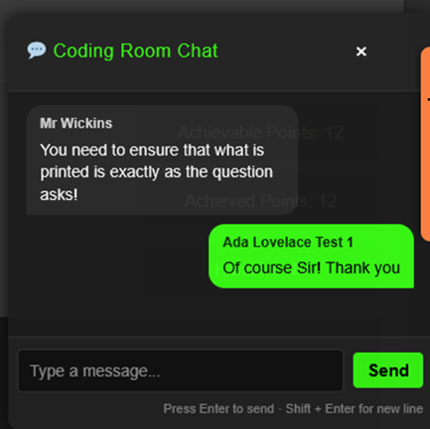
Both students have access to built-in chat, allowing them to talk through logic, debug together, and explain ideas — just like real-world software development.
🔁 Roles can be swapped at any time, encouraging balanced participation and shared responsibility.

💬 Teacher-Controlled Chat
Teachers remain fully in control:
-
Chat can be enabled or disabled per task
-
When enabled, chat supports:
-
Collaborative problem solving
-
Code discussion
-
Debugging conversations
-
This makes Coding Rooms suitable for:
-
Structured pair work
-
Exam-style silent tasks
-
Guided collaboration sessions
👀 Live Teacher View: See Every Room in Real Time
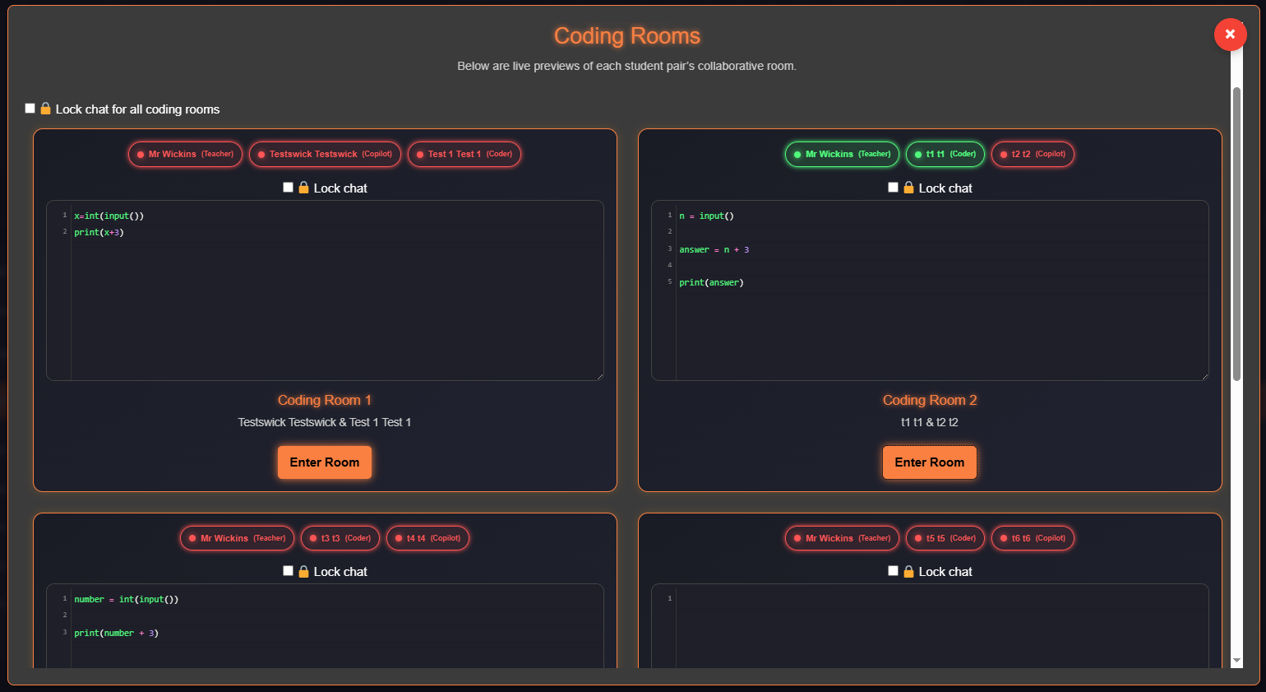
One of the most powerful aspects of Coding Rooms is the Teacher Live View.
From a single screen, teachers can:
-
See all active rooms at once
-
Watch code being written live
-
Instantly spot:
-
Who is on task
-
Who is stuck
-
Who hasn’t started
-
No more guessing. No more walking around trying to glimpse screens.
🚪 Jump Into Any Room, Anytime
Need to intervene, support, or challenge?
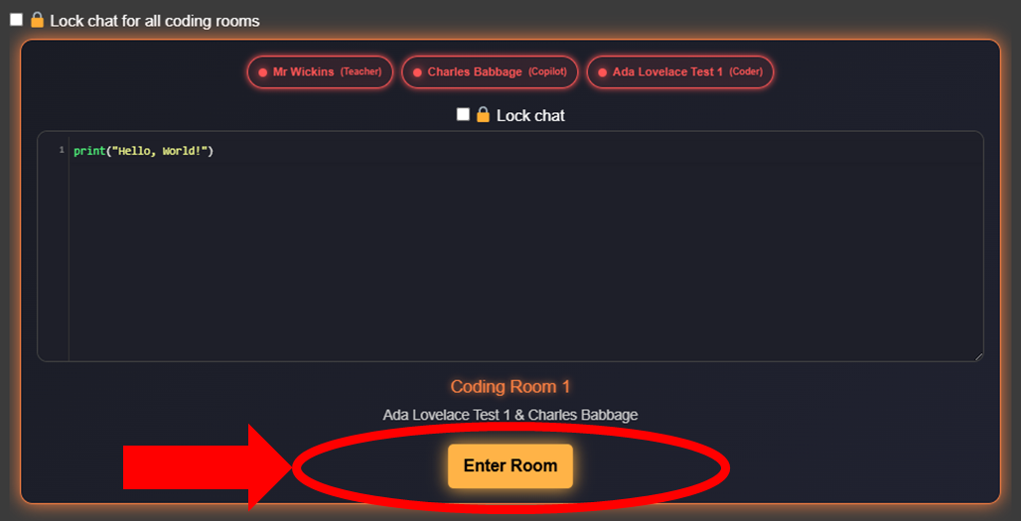
Teachers can:
-
Jump into any coding room instantly
-
View the code exactly as students see it
-
Join the chat
-
Take over coding if needed
-
Model solutions live
This makes Coding Rooms ideal for:
-
Live feedback
-
Targeted intervention
-
Stretch and challenge
-
Whole-class modelling
🐢 Turtle, PyGame, NumPy & Matplotlib Support
Coding Rooms (and all task pages) now support visual and data-driven Python libraries, making lessons more engaging and expressive:
-
🐢 Turtle – with live canvas rendering for drawings and shapes
-
🎮 PyGame (partial implementation) – for simple games and animations
-
📊 Matplotlib – for graphs and data visualisation
-
🔢 NumPy – for numerical operations and arrays
This opens the door to:
-
Creative programming
-
Visual problem solving
-
Data science foundations
-
Cross-curricular projects

📈 Quality-of-Life Improvements Across the Platform
Alongside Coding Rooms, we’ve also rolled out improvements across CSUK Coder{+}:
-
Dynamic table resizing for:
-
PyQuests
-
Courses
-
All task tables
-
-
Better spacing, responsiveness, and readability
-
A smoother experience on smaller screens and laptops
These changes make navigating tasks, tracking progress, and managing classes faster and clearer.
 Why This Matters
Coding Rooms bring together:
Collaboration
Real-time feedback
Teacher visibility
Industry-authentic practice
All inside a tool teachers already use and trust.
This has been one of our most requested features, and we’re proud to finally put it into your hands.
✅ Ready to Try Coding Rooms?
Coding Rooms are available now in CSUK Coder{+} for both Free Coding and Self-Marking tasks.
If you already use CSUK for coding — you’re ready to go.
👉 Create a task
👉 Choose your Coding Room mode
👉 Watch collaboration come alive
As always, we’d love your feedback as we continue to refine and expand this feature.